Can Someone See What I Do on Wi-Fi? The Truth About Online Privacy
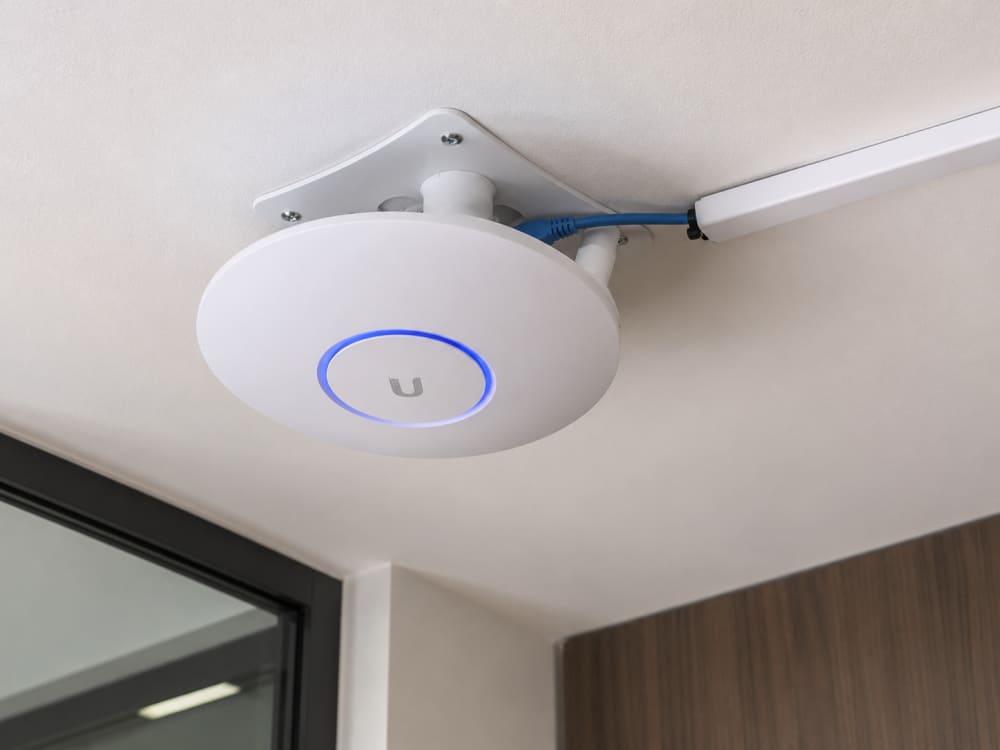
A few months ago, someone asked me a question that comes up surprisingly often:
"If I connect to someone's Wi-Fi, can they see everything I'm doing?"
At first glance, the answer seems simple.
But the reality is far more interesting.
Whether you're connected to your home router, school Wi-Fi, office network, hotel internet, airport hotspot, or a friend's connection, there are different levels of visibility that network owners may have.
Some people imagine that the Wi-Fi owner can see every message they send, every password they type, and every photo they upload.
Others believe nobody can see anything at all.
The truth sits somewhere in the middle.
As someone who has spent years studying networking and cybersecurity, I've noticed that many internet users either underestimate network monitoring or greatly exaggerate what network administrators can actually see.
Understanding the difference can help you make better decisions about your online privacy and security.
So let's answer the question properly.
Can someone see what you do on Wi-Fi?
Yes.
But not necessarily everything.
The Internet Is Not Magic
When you connect to Wi-Fi, your device communicates with a router.
That router then forwards your traffic to the internet.
The path generally looks like this:
Phone/Laptop
      ↓
    Router
      ↓
Internet Service Provider
      ↓
Website
Because your traffic passes through the router, the network owner can potentially see some information about your connection.
This is where many misconceptions begin.
Seeing traffic does not automatically mean seeing the contents of that traffic.
Those are two completely different things.
What a Wi-Fi Owner Can Usually See
Let's start with the information that is commonly visible.
Depending on the router and network equipment being used, administrators may be able to see:
-
Connected devices
-
Device names
-
IP addresses
-
Connection times
-
Data usage
-
Websites visited (in some cases)
-
Network activity patterns
For example, a network administrator may see:
Samsung Galaxy S24
Connected: 7:15 PM
Data Used: 2.4 GB
Visited: youtube.com
This information alone does not reveal everything you're doing, but it does provide useful insights.

ROUTER SHOWING TRAFFIC
What They Usually Cannot See
This is where modern internet security helps.
Most websites today use HTTPS encryption.
You can recognize HTTPS by the padlock symbol in your browser.
When a website uses HTTPS, your connection is encrypted.
This means the network owner generally cannot see:
-
Passwords
-
Messages
-
Banking details
-
Email contents
-
Social media conversations
-
Private files
For example, they may see:
facebook.com
but they usually cannot see:
Message sent to John:
"Meet me tomorrow at 8 AM."
Encryption protects that information.
My Experience With Network Monitoring
One thing that often surprises people is how much information can be inferred without actually reading content.
During networking exercises and lab environments, I've seen how network monitoring tools can reveal patterns without exposing private conversations.
For example, an administrator may notice:
-
Large downloads
-
Streaming activity
-
Gaming traffic
-
Video conferencing sessions
They may not know exactly what movie you're watching on YouTube, but they can often tell that you're streaming video.
This distinction is important.
Privacy is not always about content.
Sometimes it's about behavior.
What About Public Wi-Fi?
Public Wi-Fi networks deserve special attention.
Examples include:
-
Airports
-
Hotels
-
Universities
-
Restaurants
-
Shopping malls
-
Coffee shops
These networks are often shared by hundreds or thousands of users.
While many public networks are legitimate, they can present additional risks.
Poorly configured public networks may expose users to:
-
Eavesdropping attempts
-
Fake login pages
-
Rogue hotspots
-
Man-in-the-middle attacks
This is why cybersecurity professionals frequently advise caution when using public Wi-Fi.
Can Schools See What Students Do?
This question appears frequently among students.
The answer is generally yes to some extent.
Educational institutions often monitor their networks for:
-
Security threats
-
Malware
-
Bandwidth abuse
-
Policy violations
Many schools use filtering systems that can log:
-
Websites visited
-
Search activity
-
Download attempts
However, the level of monitoring varies greatly depending on the institution.
The same applies to universities and colleges.
Can Employers Monitor Workplace Wi-Fi?
Absolutely.
In fact, many organizations actively monitor corporate networks.
The primary reasons include:
-
Cybersecurity
-
Regulatory compliance
-
Data protection
-
Threat detection
Employees should generally assume that work networks are monitored.
This does not mean someone is personally reading every message.
Instead, automated systems often track activity and generate alerts when unusual behavior occurs.
Can Internet Providers See What You Do?
Your Internet Service Provider (ISP) occupies a unique position.
Examples include:
-
Safaricom Home Fibre
-
Zuku
-
Faiba
-
Airtel
-
Starlink
ISPs can see certain network information because your traffic passes through their infrastructure.
However, widespread HTTPS adoption has significantly reduced the amount of content visible to providers.
They may know which services you're accessing, but not necessarily the detailed information being exchanged.
What About WhatsApp Messages?
WhatsApp uses end-to-end encryption.
According to Meta, only the sender and the intended recipient can read the message contents.
This means a Wi-Fi owner generally cannot read your WhatsApp conversations directly.
They may see that your device is communicating with WhatsApp servers, but not the actual messages.
The same principle applies to many modern messaging platforms.
Can Someone Steal Passwords Through Wi-Fi?
Under normal circumstances, modern websites protect passwords using encryption.
However, risks still exist when:
-
Visiting fake websites
-
Using malicious hotspots
-
Ignoring security warnings
-
Downloading suspicious files
Attackers often target users rather than encryption.
For example, a fake login page may trick victims into voluntarily entering their credentials.
This is a phishing attack, not a failure of Wi-Fi security.
The Danger of Fake Wi-Fi Networks
One of the most common public Wi-Fi threats is the rogue hotspot.
Imagine you're at an airport.
You see:
Airport_Free_WiFi
and
Airport_Free_WiFi_Official
Which one is legitimate?
Attackers create fake networks hoping users will connect automatically.
Once connected, victims may be redirected to fraudulent websites designed to steal credentials.
Always verify network names with staff when using public Wi-Fi.
Does a VPN Hide Your Activity?
A VPN (Virtual Private Network) creates an encrypted tunnel between your device and a remote server.
When using a VPN:
-
Network owners see less information
-
Public Wi-Fi becomes safer
-
Your browsing gains additional privacy
A VPN does not make you invisible.
However, it significantly reduces what local network administrators can observe.
Signs a Network May Not Be Safe
Be cautious if you notice:
-
Unexpected login pages
-
Certificate warnings
-
Frequent redirects
-
Strange network names
-
Requests for excessive personal information
When something feels suspicious, trust your instincts.
How to Protect Your Privacy on Wi-Fi
Use HTTPS Websites
Look for:
https://
and the padlock symbol.
Avoid Sensitive Transactions on Unknown Networks
Try not to access:
-
Banking services
-
Financial accounts
-
Critical business systems
On untrusted networks.
Enable Two-Factor Authentication
Even if credentials are compromised, additional verification can prevent unauthorized access.
Use Trusted VPN Services
VPNs provide an extra layer of privacy, particularly on public Wi-Fi.
Keep Devices Updated
Security updates often contain important protections against emerging threats.
Frequently Asked Questions
Can the Wi-Fi owner see my Google searches? They may see that you're using Google, but encrypted searches usually hide the exact search terms.
Can they see my passwords?
Modern HTTPS encryption generally protects passwords from being viewed.
Can they read my WhatsApp messages?
No, WhatsApp uses end-to-end encryption.
Can public Wi-Fi be dangerous?
Yes. Public networks can introduce additional risks if users are not careful.
My Final Thoughts
So, can someone see what you do on Wi-Fi?
The answer is both yes and no.
Network owners can often see that you are connected, how much data you use, which services you access, and general activity patterns. However, thanks to modern encryption technologies such as HTTPS and end-to-end encryption, they typically cannot see the actual contents of your private conversations, passwords, or banking information.
The biggest threats today are rarely people secretly reading your traffic. Instead, they involve phishing attacks, fake Wi-Fi hotspots, malicious websites, and users being tricked into giving away sensitive information.
In my experience, the safest internet users are not necessarily the most technical. They simply understand how networks work, stay cautious on public Wi-Fi, and avoid trusting every connection they encounter.
A little knowledge goes a long way toward protecting your privacy online.
References
About the author
Caleb Muga is the founder of SurgeTechKnow, an ICT professional and software developer with BBIT, CCNA training, cybersecurity awareness and OPSWAT file-security training. Articles are written to simplify practical technology, cybersecurity, networking and ICT support topics for real users.
Read the full SurgeTechKnow profile →Related Networking Articles

How Computers Communicate on the Internet: A Complete Beginner’s Guide to Packets, IP Addresses, Routers, DNS, TCP and the Journey of Your Data

Networking Tools Every ICT Student Should Know: A Practical Beginner’s Guide