How RAM Affects Computer Performance
A few years ago, I was helping a friend troubleshoot a laptop that had become painfully slow. Opening a browser took ages. Switching between applications felt like waiting for a bus that never arrived.
At first, we assumed the laptop was simply old and ready for replacement. But after taking a closer look, the real culprit became obvious: the machine only had 4GB of RAM and was constantly running out of memory.
We upgraded it to 8GB. The difference was immediate. Programs launched faster, multitasking became smoother, and the laptop suddenly felt years younger.
That experience taught me an important lesson: RAM is one of the most misunderstood yet most important components inside a computer.
Many people focus on processors, graphics cards, or storage drives while overlooking RAM. Yet RAM often determines whether your computer feels responsive or frustrating.
Quick Navigation
What Is RAM?
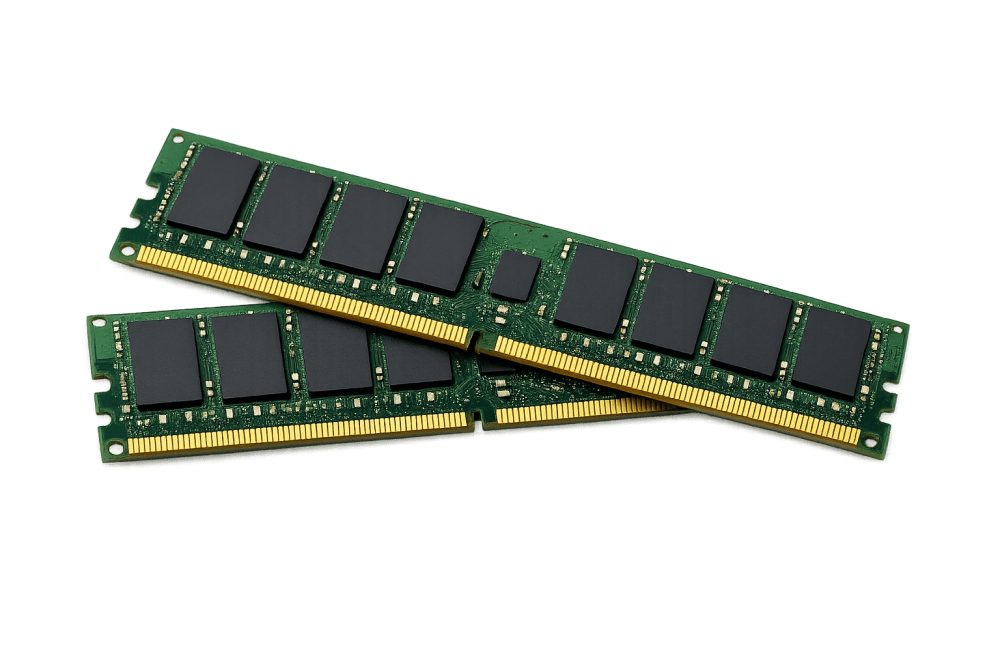
RAM stands for Random Access Memory. Think of it as your computer's short-term working space.
Whenever you open a browser, launch a game, edit a document, or run software, your computer temporarily stores active data in RAM so it can be accessed quickly.
Unlike storage drives such as SSDs and hard disks, RAM does not permanently save information. When you shut down your computer, everything stored in RAM disappears.
An easy analogy is this:
- Your SSD or hard drive is your filing cabinet.
- Your RAM is your desk.
- Your processor is the worker using the desk.
A bigger desk allows you to work with more documents at the same time without constantly putting things away and bringing them back.
Why RAM Matters More Than Most People Realize
The amount of RAM in your computer directly affects responsiveness, multitasking, and overall user experience.
When there is enough RAM available, applications can remain open and ready for use. When RAM becomes full, the operating system starts moving data to storage, which is significantly slower.
This process is often called paging or swapping.
Once this happens, you may notice:
- Programs freezing temporarily
- Slow application launches
- Browser tabs are reloading unexpectedly
- Lag when switching between windows
- Overall sluggish system performance
In many cases, insufficient RAM is the reason a computer feels slow even when the processor itself is still capable.
How RAM Impacts Multitasking
Modern computing is built around multitasking.
Most users have multiple browser tabs open while streaming music, editing documents, attending video meetings, and running background applications.
Each of these tasks consumes RAM.
For example:
- A modern web browser may use several gigabytes of RAM.
- Video conferencing software consumes additional memory.
- Office applications require their own memory allocation.
- Security software constantly uses RAM in the background.
When sufficient RAM is available, everything runs smoothly together. When memory becomes limited, performance begins to suffer dramatically.
You May Also Like To Read About
👉 Why Your Computer Takes Too Long to Start
👉 SSD vs HDD: Which Storage Device Is Better?
👉 Windows Security Settings Everyone Should Enable
👉 Why Android Phones Slow Down Over Time
👉 How to Make an Old Laptop Feel Fast Again
How RAM Affects Gaming Performance
Gamers often focus heavily on graphics cards, but RAM plays a crucial supporting role.
Modern games load textures, maps, character models, audio assets, and gameplay information into memory.
If there is insufficient RAM:
- Games may stutter.
- Loading screens become longer.
- Frame rates may become inconsistent.
- Background applications may cause performance issues.
Many current AAA games recommend at least 16GB of RAM for a smooth experience. Some demanding titles benefit from 32GB, especially when streaming or recording gameplay simultaneously.
RAM Capacity vs RAM Speed
When shopping for RAM, people often see specifications like:
- 8GB DDR4 3200MHz
- 16GB DDR5 5600MHz
- 32GB DDR5 6000MHz
Two important factors matter here:
1. Capacity
Capacity refers to how much memory you have available. Examples include 8GB, 16GB, and 32GB.
For most users, capacity has a bigger impact than speed.
2. Speed
Speed determines how quickly data moves through memory. Higher speeds can improve performance, especially in gaming and specialized workloads.
However, upgrading from 8GB to 16GB usually delivers a much larger real-world improvement than upgrading from slower RAM to slightly faster RAM.
How Much RAM Do You Actually Need?
4GB RAM
Suitable only for very basic tasks. Modern Windows systems can struggle with this amount.
8GB RAM
Acceptable for students, web browsing, office work, and light multitasking.
16GB RAM
The sweet spot for most users today. Ideal for productivity, gaming, content consumption, and professional work.
32GB RAM
Excellent for video editing, software development, virtual machines, large datasets, and intensive multitasking.
64GB RAM and Above
Designed for specialized professional workloads, engineering applications, advanced content creation, and enterprise environments.
Should You Upgrade Your RAM?
If your computer frequently feels slow while multitasking, a RAM upgrade can be one of the most cost-effective improvements available.
Before upgrading:
- Check your current RAM capacity.
- Confirm how many memory slots are available.
- Verify compatibility with your motherboard.
- Determine whether your system supports DDR4 or DDR5.
In many laptops and desktops, upgrading from 8GB to 16GB provides a noticeable improvement in everyday performance.
Common RAM Mistakes People Make
- Assuming more RAM always means faster performance.
- Ignoring storage upgrades such as SSDs.
- Buying incompatible memory modules.
- Mixing different RAM speeds unnecessarily.
- Focusing solely on processor upgrades while memory remains insufficient.
RAM works together with other components. A balanced system almost always delivers the best user experience.
Final Thoughts
RAM is one of the most important factors influencing how responsive and enjoyable a computer feels.
Whether you browse the web, attend online meetings, play games, edit videos, or manage business tasks, sufficient RAM helps everything run more smoothly.
From my own experience helping users troubleshoot slow computers, RAM upgrades consistently provide some of the most noticeable improvements for the money spent.
If your computer constantly freezes, struggles with multiple applications, or feels slower than it should, checking your RAM may reveal the real cause.
Sometimes, the difference between a frustrating computer and a fast one is not a brand-new machine; it is simply enough memory to let the system breathe.
About the author
Caleb Muga is the founder of SurgeTechKnow, an ICT professional and software developer with BBIT, CCNA training, cybersecurity awareness and OPSWAT file-security training. Articles are written to simplify practical technology, cybersecurity, networking and ICT support topics for real users.
Read the full SurgeTechKnow profile →