Why Some USB Ports Are Purple: The Hidden Meaning Behind the Color
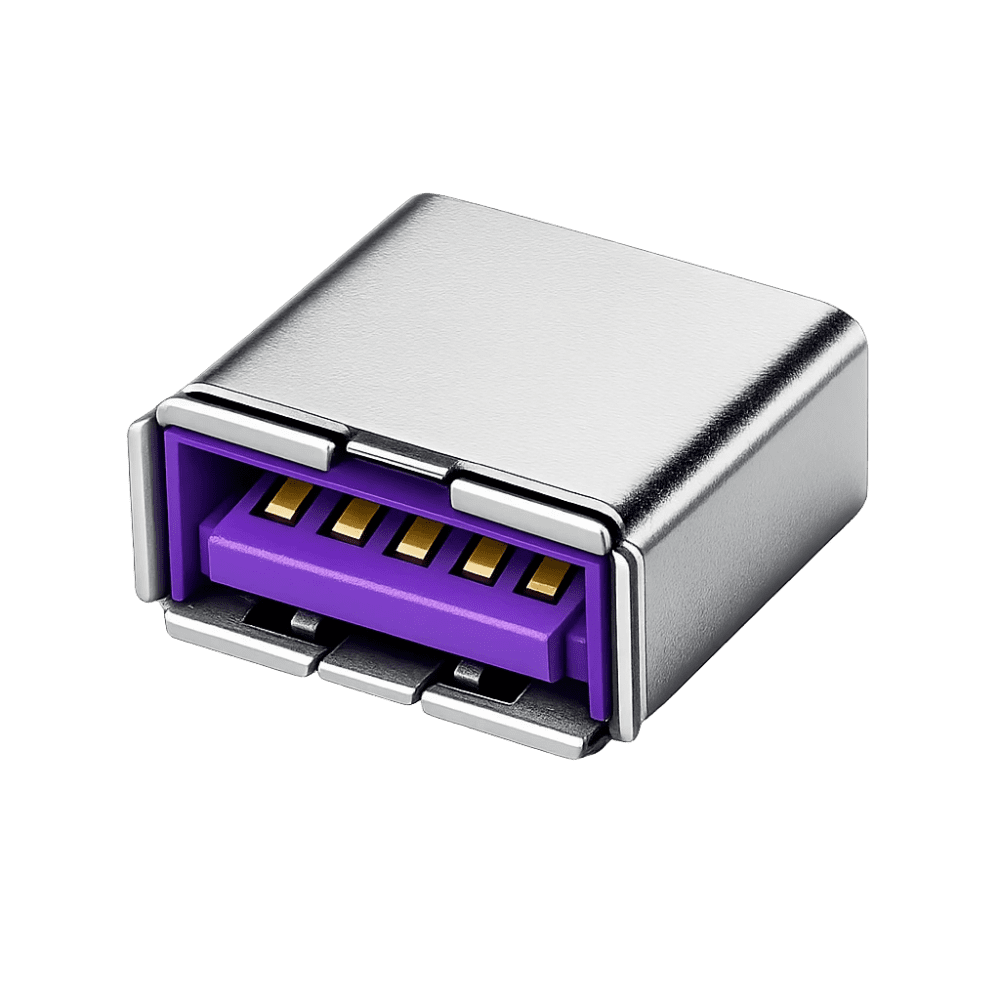
Have you ever looked at the back of a desktop computer or laptop and noticed that most USB ports are black, blue, or sometimes red, but one or two are bright purple?
A few years ago, while helping a colleague troubleshoot a computer that refused to recognize a keyboard during startup, I noticed something interesting. The keyboard was plugged into a standard USB port, yet it only worked after Windows loaded. Out of curiosity, I moved it to a purple USB port on the motherboard. The keyboard worked instantly, even before the operating system started.
That simple experience led me down a fascinating rabbit hole into the world of USB technology, motherboard design, BIOS support, and why manufacturers intentionally use purple ports. The answer is far more interesting than most people realize.
Quick Navigation
What Is a Purple USB Port?
A purple USB port is usually a special high-performance USB port designed by motherboard manufacturers to provide enhanced keyboard and mouse support, particularly during system startup and within BIOS or UEFI environments.
Unlike ordinary USB ports, purple ports often feature dedicated controller technology that improves compatibility and reduces input lag for connected devices.
Many manufacturers, especially gaming motherboard brands, use purple coloring to distinguish these ports from standard USB connections.
The History Behind Purple USB Ports
To understand purple USB ports, we need to go back to the early days of personal computers.
Before USB became common, keyboards and mice connected using PS/2 ports. These circular connectors were color-coded:
- Purple for keyboards
- Green for mice
PS/2 devices had one major advantage: they worked immediately when the computer powered on.
As USB replaced PS/2 ports, manufacturers searched for ways to preserve that instant responsiveness while maintaining the convenience of USB connectivity.
Some companies began creating dedicated USB ports specifically optimized for keyboard and mouse operation and colored them purple as a tribute to the traditional PS/2 keyboard port.
Why Gamers and Professionals Love Purple USB Ports
If you browse gaming motherboard specifications, you'll often find references to technologies such as:
- USB DAC-UP
- USB BIOS Flashback
- Gaming USB Ports
- Turbo USB
- Dedicated Input Ports
Many of these technologies are associated with colored USB ports, including purple ones.
The primary goal is to provide stable power delivery and consistent communication between the computer and input devices.
For competitive gamers, even tiny delays can matter.
A dedicated gaming USB controller may reduce interruptions caused by other USB devices competing for system resources.
This results in:
- More stable mouse tracking
- Consistent keyboard response
- Improved polling rates
- Reduced latency
- Better BIOS accessibility
You May Also Like To Read About:
Purple vs Blue vs Black USB Ports
One reason people become confused is that USB ports now come in many colors.
| Color | Common Meaning |
|---|---|
| Black | USB 2.0 |
| Blue | USB 3.0 / 3.1 |
| Teal | USB 3.1 Gen 2 |
| Red | Fast Charging Port |
| Yellow | Always-On Charging |
| Purple | Enhanced Keyboard/Mouse or Gaming USB Port |
It is important to understand that color standards are not enforced universally. Different motherboard manufacturers may use colors differently.
Always check your motherboard documentation if you want to know the exact purpose of a specific port.
Major Advantages of Purple USB Ports
1. Better Keyboard Recognition During Startup
Many purple USB ports are designed to initialize earlier during system boot, making keyboards available immediately.
2. Enhanced Gaming Performance
Certain gaming motherboards route these ports through dedicated controllers to minimize interference from other USB devices.
3. More Stable Power Delivery
Power fluctuations can affect sensitive peripherals. Some purple ports offer cleaner and more consistent power.
4. Easier BIOS Access
If you've ever struggled to enter BIOS by pressing DEL or F2 during startup, a purple USB port may improve device detection before Windows loads.
5. Legacy Compatibility
Some purple ports are specifically optimized to mimic the behavior of older PS/2 keyboard connections.
Common Myths About Purple USB Ports
Myth #1: Purple means faster USB speeds.
Not necessarily. The color usually relates to special functionality rather than transfer speed.
Myth #2: Every motherboard uses purple ports the same way.
False. Manufacturers have different implementations.
Myth #3: Purple ports are only for gaming.
Many are gaming-focused, but others are designed for BIOS access, keyboard compatibility, or stable peripheral support.
Are Purple USB Ports Still Relevant Today?
Yes, but their role has evolved.
Modern USB controllers are significantly better than those found in older computers. Most keyboards and mice now work perfectly through standard USB ports.
However, motherboard manufacturers still include specialized ports because:
- Competitive gamers demand low latency.
- Professionals need reliable input devices.
- BIOS updates sometimes require dedicated ports.
- Certain peripherals benefit from isolated controllers.
For most everyday users, the difference may be subtle.
For enthusiasts, gamers, and IT professionals, these specialized ports can still provide meaningful advantages.
Final Thoughts
The next time you spot a purple USB port on a desktop computer, laptop docking station, or gaming motherboard, you'll know there's more to it than a simple design choice.
Its roots stretch back to the era of PS/2 keyboards, where purple symbolized keyboard connectivity. Today, that color often represents enhanced USB functionality aimed at improving reliability, compatibility, and responsiveness.
While not every purple port serves the same purpose, they generally exist to give critical peripherals such as keyboards and mice a better connection experience.
Sometimes the smallest design details on a computer tell the most interesting stories, and the humble purple USB port is a perfect example.
About the author
Caleb Muga is the founder of SurgeTechKnow, an ICT professional and software developer with BBIT, CCNA training, cybersecurity awareness and OPSWAT file-security training. Articles are written to simplify practical technology, cybersecurity, networking and ICT support topics for real users.
Read the full SurgeTechKnow profile →