Android Banking Trojan Alert: How "Datzbro" Is Tricking Users Into Giving Away Their Phones
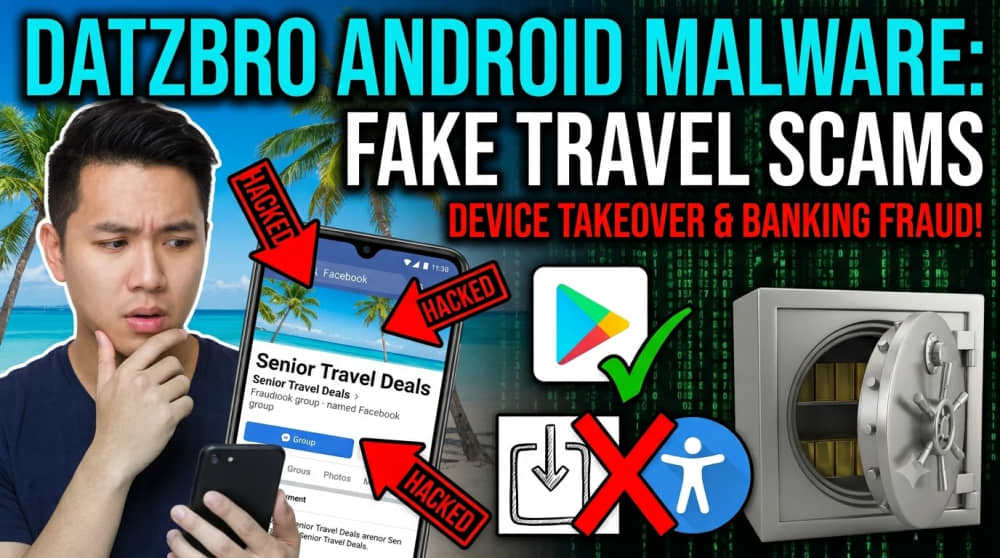
Imagine seeing a friendly Facebook group advertising affordable trips, dance classes, community outings, or social events for older adults.
The posts look polished. The photographs appear genuine. Other people seem interested. When you ask for details, an organiser contacts you through Messenger or WhatsApp and tells you to install a special app to register.
That is where an apparently harmless invitation can become a serious security incident.
Cybersecurity researchers at ThreatFabric documented a campaign involving Datzbro, an Android remote-access trojan with banking-fraud capabilities. The campaign used fake Facebook groups, AI-generated promotional material, travel and community themes, and direct messages that persuaded victims to install Android application packages from outside Google Play.
The campaign is especially worrying because it does not depend only on a technical vulnerability. It exploits trust. A victim may willingly install the app, approve powerful permissions, and believe they are completing an ordinary event registration.
I have seen how quickly less technical users can accept an installation warning when a message appears to come from a friendly organiser, family contact, investment group, church community, travel club, or customer-support representative. The screen may display a warning, but the social story around the app makes the warning feel unimportant.
This guide explains what Datzbro is, how the documented campaign worked, why Android Accessibility permissions are valuable to criminals, which warning signs deserve attention, and how families can protect older relatives and other vulnerable users.
Quick Navigation
Select a section to jump directly to it.
The Most Important Point
Datzbro did not spread simply because someone visited a Facebook page. The documented attack relied on social engineering, direct contact, installation of an APK from outside the official store, and approval of dangerous permissions. Each of those stages offered a chance to stop the attack.
What Is Datzbro?
Datzbro is an Android remote-access trojan, commonly shortened to RAT. A RAT allows a remote operator to interact with an infected device, observe activity, collect information, or control functions without the owner’s informed consent.
ThreatFabric reported the malware in September 2025 after studying a campaign that appeared to begin with victims in Australia and later affected or targeted users in several other countries. The campaign used fake groups and advertisements promoting activities for older adults, including travel, dancing, and community gatherings.
The malware is relevant to banking security because remote device control, screen observation, credential theft, fake overlays, and transaction automation can all be used to compromise financial accounts. Calling it only a “banking Trojan,” however, hides its broader surveillance and device-control capabilities.
Plain-language definition: Datzbro is malicious Android software that can turn a victim’s phone into a device remotely operated or monitored by criminals.
How the Datzbro Attack Chain Works
Step 1: Criminals Build a Trustworthy-Looking Community
Attackers create or operate social-media pages that look like genuine communities. AI-generated images and promotional posts can make the groups appear active, warm, and professional. The content may advertise senior travel, exercise, dancing, outings, classes, or social events.
Step 2: Interested Users Are Contacted Privately
A person who comments, joins, or asks for more information may receive a private message through Facebook Messenger or WhatsApp. Moving the conversation away from a public page gives the criminal more control and reduces the chance that warnings from other users will be seen.
Step 3: The Victim Is Told to Install an App
The organiser claims that an app is required for registration, schedules, membership, or event communication. The victim is sent to a forged website or direct download rather than an official Google Play listing.
Step 4: Android Sideloading Is Enabled
The user must allow the browser, file manager, or messaging app to install unknown applications. Sideloading is not automatically malicious, but it removes some of the protections associated with official app distribution.
Step 5: The App Requests Accessibility Access
The fake app asks the user to enable Android Accessibility services. The request may be disguised as a setup requirement, compatibility option, registration step, or feature needed to make the app work.
Stop Immediately When You See This Combination
A social-media organiser sends an APK, asks you to permit installation from an unknown source, and then tells you to enable Accessibility access. That sequence should be treated as a serious malware warning.
Why Accessibility Permissions Can Be Dangerous
Android Accessibility services are legitimate and important. They help people with disabilities use screen readers, switch controls, voice access, magnification, and other assistive features.
The danger begins when an untrusted app receives this powerful access. Malicious Accessibility services may observe screen content, detect interface elements, perform taps, navigate menus, capture text, approve prompts, or interact with banking and security applications.
- Read or interpret content displayed on the screen.
- Capture typed information or detect login fields.
- Press buttons and navigate menus automatically.
- Grant additional permissions or resist removal.
- Display fake login forms over legitimate banking apps.
- Observe authentication and transaction workflows.
Not every Accessibility app is suspicious. Screen readers and approved assistive tools need these services. The correct question is whether the particular app has a clear, legitimate reason for that access.
What Can Datzbro Do?
ThreatFabric’s analysis described a broad set of remote-control and information-stealing features. Exact capability can vary by version and configuration, but the reported functions make the malware dangerous far beyond one banking application.
- Remote device control: attackers may interact with the infected device.
- Screen and credential theft: login information and sensitive on-screen data may be captured.
- Banking fraud: stolen credentials and remote interaction may support unauthorised transactions.
- Audio surveillance: microphone access can expose conversations.
- Camera and media access: photographs, media, or camera functions may be exposed.
- File access: personal documents and downloads may be exposed.
- Overlay attacks: fake screens can imitate banking or login forms.
You May Also Like to Read About
Why the Campaign Targeted Older Adults
The campaign’s themes were carefully chosen. Travel clubs, community activities, dancing, and social gatherings address real needs: friendship, activity, belonging, and affordable leisure.
Older adults are not unintelligent or automatically careless. The attackers created a context designed to look familiar and safe. They also used patient private conversations rather than obvious one-line spam.
Younger users can also become victims. A convincing job advert, mobile loan, betting application, parcel notification, school portal, government-service form, M-PESA promotion, investment group, or relationship lure can use the same technique.
Warning Signs That an Android Device May Be Infected
- An unfamiliar app has Accessibility access.
- An app cannot be uninstalled normally.
- Banking screens look different or request unusual information.
- The phone performs taps or opens screens by itself.
- Google Play Protect is disabled unexpectedly.
- Unknown applications appear in the app list.
- Battery usage, heat, or mobile-data consumption rises sharply.
- The microphone or camera indicator appears without a clear reason.
- SMS or authentication prompts behave strangely.
- There are unauthorised logins or financial transactions.
What to Do If You Installed a Suspicious App
- Stop using banking and payment apps on that phone.
- Disconnect the device from Wi-Fi and mobile data.
- Use a separate trusted device to contact your bank.
- Change important passwords on the clean device.
- Revoke suspicious account sessions.
- Review Accessibility and device-admin apps.
- Run Google Play Protect.
- Seek qualified technical help.
- Factory-reset the phone when compromise is credible.
Where financial fraud has occurred, preserve screenshots, phone numbers, URLs, messages, transaction records, and the name of the installed app.
How to Protect Yourself and Your Family
Family Android Safety Checklist
- Install apps through Google Play whenever possible.
- Do not install an APK sent through Facebook, WhatsApp, SMS, Telegram, or email unless independently verified.
- Keep Google Play Protect enabled.
- Review Accessibility services and device-admin apps monthly.
- Keep Android, browsers, and apps updated.
- Enable two-step verification.
- Teach relatives that legitimate registration rarely requires disabling phone security.
- Verify travel offers through an independent number or official website.
- Never share verification codes.
Avoid Shame When Helping Victims
People often hide scams because they feel embarrassed. That delay helps criminals. Families should respond calmly, secure accounts quickly, and focus on recovery rather than blame.
Frequently Asked Questions
Can Datzbro infect an iPhone?
The documented campaign targeted Android through malicious APK installation. APK files do not install normally on iPhones.
Can simply viewing a Facebook post install Datzbro?
The reported campaign required private contact, downloading an APK, permitting installation, and enabling powerful access.
Is Google Play Protect enough?
It is an important layer, but no security tool replaces careful installation decisions, updates, strong accounts, and permission review.
Final Takeaway
Datzbro shows how modern malware campaigns combine technical capability with patient social engineering. The attack begins by building trust, offering an attractive activity, moving the conversation into private messages, and convincing the victim to weaken the phone’s normal protections.
One careful question, “Why does this app need to control my screen?” can prevent an entire device takeover.
About the author
Caleb Muga is the founder of SurgeTechKnow, an ICT professional and software developer with BBIT, CCNA training, cybersecurity awareness and OPSWAT file-security training. Articles are written to simplify practical technology, cybersecurity, networking and ICT support topics for real users.
Read the full SurgeTechKnow profile →

