CYBERSECURITY: How Hackers Steal Passwords in Seconds
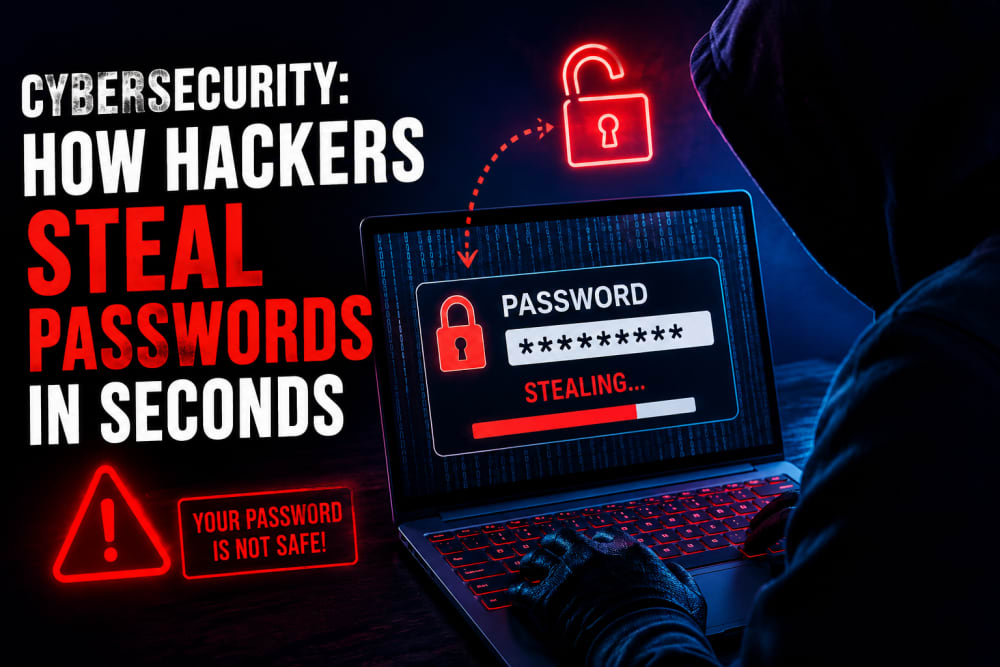
Most people assume their password is safe because nobody knows it, which is not the case.
Unfortunately, cybercriminals don't need to know your password in advance, and that's the truth of the matter.
Every day, attackers use automated tools, data breaches, fake websites, malicious software, and social engineering techniques such as phishing to steal passwords from unsuspecting users. In many cases, the victim never realizes what happened until their account has already been compromised and tampered with.
The scary part?
A password can be stolen in seconds, if not milliseconds, yes, you got me right.
Why Passwords Remain a Prime Target
Passwords are the keys to your digital life.
A single password may serve and protect several areas:
-
Email accounts
-
Social media profiles
-
Online banking
-
Business systems
-
Cloud storage
-
Personal photos and documents
Once attackers obtain access to one important account, they often gain access to several others.
That is why passwords remain one of the most valuable assets in cybercrime.
🎣 Phishing: The Most Common Password Theft Method
Phishing attacks trick users into voluntarily giving away their passwords, and this one is purely based on our ignorance.
The attacker creates a fake login page that looks identical to a trusted website.
Examples include fake versions of the following:
-
Gmail
-
Facebook
-
Instagram
-
Microsoft 365
-
Online banking portals
The targeted user receives a message claiming:
-
"Your account has been suspended."
-
"Unusual login detected."
-
"Verify your account immediately."
After entering their username and password, the information is sent directly to the attacker, and up to this point, the main goal has been achieved.
The victim is often redirected to the real website and may never realize anything happened.
🦠 Malware and Keyloggers
Some attackers install malicious software on a victim's device.
One particularly dangerous type is a keylogger, which monitors your activities on the keyboard.
A keylogger records everything typed on a keyboard, including:
-
Passwords
-
Credit card numbers
-
Emails
-
Messages
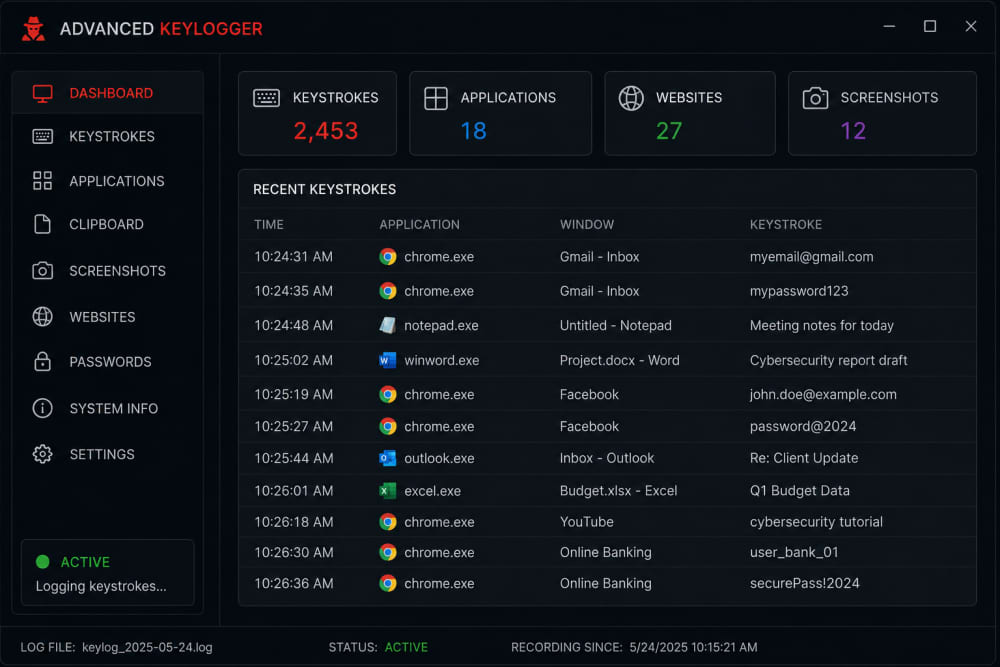
keylogger
Modern malware is often designed to remain invisible and act seamlessly throughout the process.
The victim may continue using their device normally while attackers quietly collect sensitive information in the background.
Common infection sources include:
-
Pirated software
-
Cracked applications
-
Suspicious email attachments
-
Fake software updates
🔓 Credential Stuffing Attacks
Many people reuse the same password across multiple accounts. (The worst mistake in the digital world).
Attackers know this.
When a website experiences a data breach, stolen usernames and passwords often appear on underground forums.
Attackers then use automated tools to test those credentials on:
-
Gmail
-
Facebook
-
Netflix
-
Amazon
-
Banking websites
This technique is known as credential stuffing.
If the same password is reused elsewhere, attackers can gain access almost instantly.
🌐 Public Wi-Fi Traps
Free Wi-Fi is convenient and fulfills your needs. BUT:
It can also be dangerous.
Cybercriminals sometimes create fake Wi-Fi hotspots that appear legitimate.
Examples include:
-
Airport_Free_WiFi
-
Hotel_Guest
-
Cafe_WiFi
Once connected, attackers may attempt to:
-
Monitor traffic
-
Capture login sessions
-
Redirect users to malicious websites
I assure you that although modern encryption has improved security, public networks still present risks if users are careless.
📂 Data Breaches and Leaked Passwords
Not every password theft involves direct hacking of the victim. Note:
Sometimes the website itself gets breached.
Large organizations store millions of user accounts.
When attackers compromise those systems, they may steal:
-
Email addresses
-
Password hashes
-
Personal information
Even if the breach occurred years ago, those credentials can continue circulating online.
Many people are shocked to discover that passwords they used five or ten years ago are still available in cybercriminal databases.
🤖 Automated Password Cracking
Hackers rarely sit behind computers manually guessing passwords. In the digital world, cybercrime is no longer manual, and you may lose your important credentials to a bot, yes, a bot.
Specialized tools automate the process.
Weak passwords such as:
-
password123
-
kenya2024
-
admin123
-
qwerty123
Can often be cracked very quickly using these automated tools with less effort from the hacker.
Attackers use massive password dictionaries containing millions of commonly used passwords and variations, something that they easily generate using a script.
The shorter and more predictable the password, the easier it becomes to crack.
📱 Social Engineering
Sometimes the easiest way to steal a password is simply to ask for it.
Social engineering attacks manipulate people rather than technology.
Examples include:
-
Fake IT support calls
-
Fraudulent customer service emails
-
Impersonation attempts
-
Fake technical support messages
Attackers exploit trust, urgency, fear, and more, so your ignorance
Many victims willingly reveal sensitive information because they believe they are speaking to a legitimate person and their information will fall into the right hands, not knowing the imminent danger.
🚨 Warning Signs Your Password May Be Compromised
Watch for these red flags:
-
Unexpected password reset emails(you never requested)
-
Login alerts from unfamiliar locations
-
Accounts becoming locked
-
Messages sent without your knowledge
-
Unusual account activity
-
New devices appearing on your account
If you notice any of these signs, change your password immediately (always activate MFA).
How to Protect Your Passwords
Fortunately, a few simple habits significantly reduce risk.
Use Strong Passwords
Create passwords that are:
-
Long
-
Unique
-
Difficult to guess
Avoid names, birthdays, and common words.
Enable Multi-Factor Authentication (MFA)
Even if attackers obtain your password, MFA adds an extra layer of security, and at some point, it can come to your attention that someone is trying to access your account.
Never Reuse Passwords
Every important account should have a different password.
Use a Password Manager
Password managers can:
-
Generate secure passwords
-
Store credentials safely, and you don't need to remember these passwords
-
Alert you about compromised accounts
Never write your passwords down
Having your password written down can be so dangerous when the document falls into the wrong hands, and in most cases I have come across, people tend to write credentials for every account they have on one piece of paper. A big mistake, one slight wrong move, and every account becomes loose
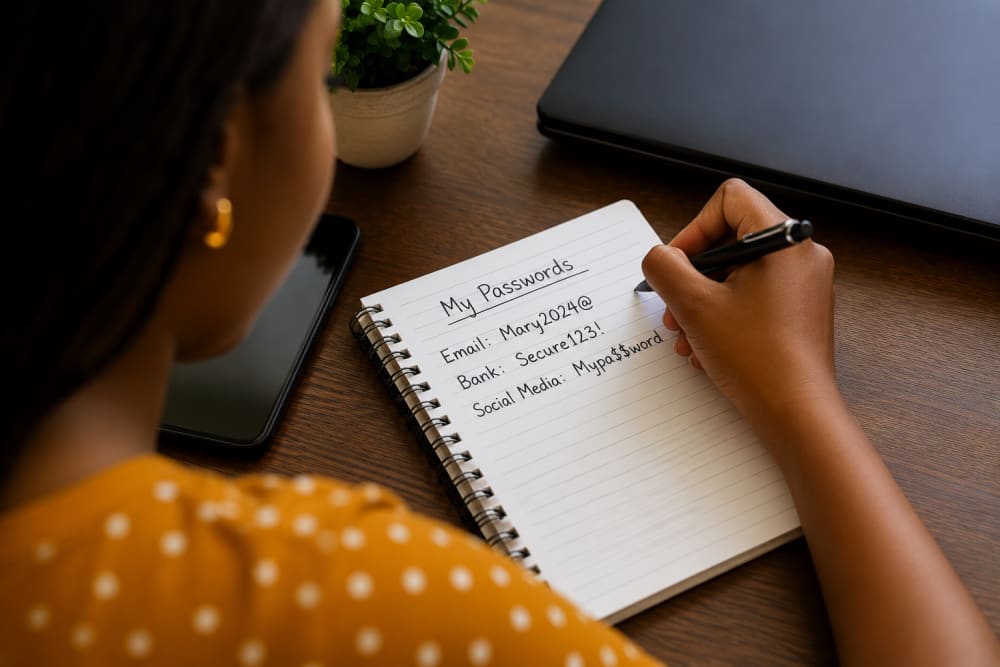
Never write a password in a book
Be Skeptical of Links
Always verify websites before entering login credentials. Know their legitimacy. take sometimes to reason out your thoughts
A few extra seconds can prevent a major security incident.
Final Thoughts
Hackers no longer need sophisticated techniques to steal passwords.
Many successful attacks rely on human mistakes, weak passwords, reused credentials, and fake login pages. Modern cybercriminals use automation to target thousands of users simultaneously, allowing them to compromise accounts within seconds.
The good news is that basic security habits remain extremely effective. Strong passwords, multi-factor authentication(correctly configured), careful browsing, and regular account monitoring can dramatically reduce your chances of becoming a victim.
In cybersecurity, protecting and caring for your password is often the first and most important line of defense.
Also read: Why your old passwords are still a threat today
About the author
Caleb Muga is the founder of SurgeTechKnow, an ICT professional and software developer with BBIT, CCNA training, cybersecurity awareness and OPSWAT file-security training. Articles are written to simplify practical technology, cybersecurity, networking and ICT support topics for real users.
Read the full SurgeTechKnow profile →