CLOUD COMPUTING: What Is Cloud Computing in Simple Terms?
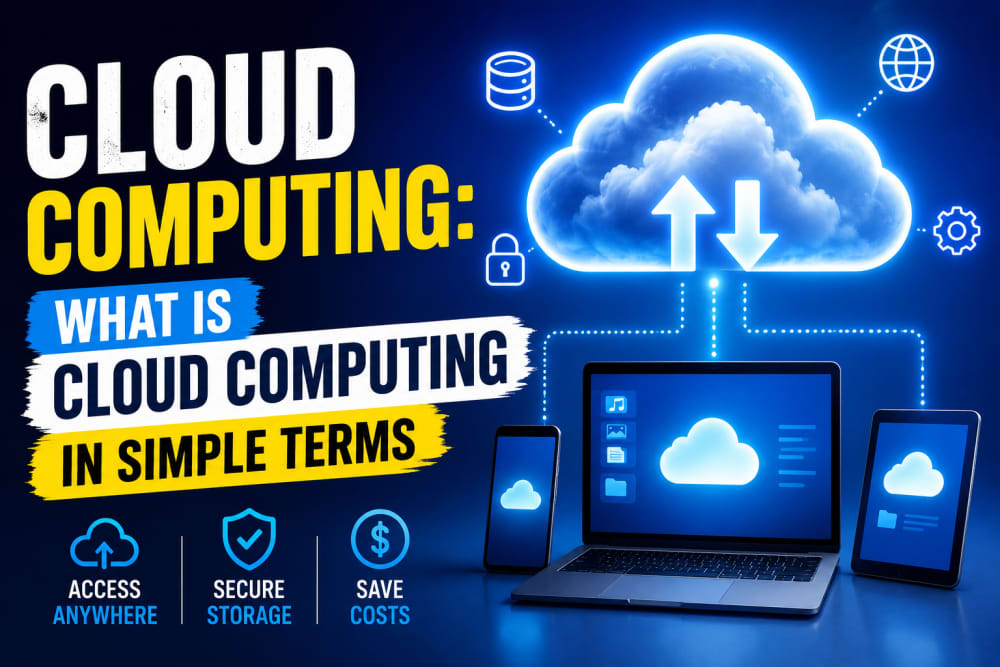
You probably use cloud computing every day without realizing it.
When you save photos to Google Photos, stream movies on Netflix, store files in Google Drive, send emails through Gmail, or back up your WhatsApp chats, you are using cloud computing, as simple as that.
Despite sounding complicated, cloud computing is actually a simple idea that we normally implement daily unknowingly:
Instead of storing data and running programs on your own computer, you use powerful computers connected to the internet.
These computers are called cloud servers.
☁️ What Does "The Cloud" Mean?
The cloud is not a physical object floating in the sky as many might interpret it or think about it. BUT;
The term simply refers to a network of powerful computers (servers) located in secure data centers around the world, and their services are normally accessed over the internet.
These servers store information and provide services over the internet.
When you access a cloud service, your data is often stored in one of these data centers rather than directly on your personal device.
For example:
-
Gmail stores emails in Google's data centers(what most of us interact with).
-
Netflix stores movies on cloud servers.
-
Google Drive stores documents online.
-
Microsoft OneDrive stores files in the cloud.
-
Dropbox stores backups on remote servers.
🏠 A Simple Real-Life Example
Imagine you own a water tank at home.
You are responsible for:
-
Buying the tank
-
Maintaining it
-
Repairing leaks
-
Monitoring water levels
Now imagine instead that water comes directly from a reliable supplier whenever you need it, and you don't need to be bothered about issues associated with acquiring the water.
You simply pay for what you use.
Cloud computing works similarly.
Instead of buying expensive servers and maintaining them yourself, you rent computing resources from companies that already own massive data centers around the world.
Why Businesses Love Cloud Computing
Years ago, organizations had to purchase expensive servers and install them inside their offices.
This involved:
-
Buying hardware
-
Paying electricity bills
-
Hiring IT staff
-
Replacing failed equipment(was costly)
-
Performing backups every time
Cloud computing changed everything.
Today, a business can rent:
-
Storage
-
Computing power
-
Databases
-
Applications
-
Security services
Without purchasing physical equipment.
This reduces costs and increases flexibility.
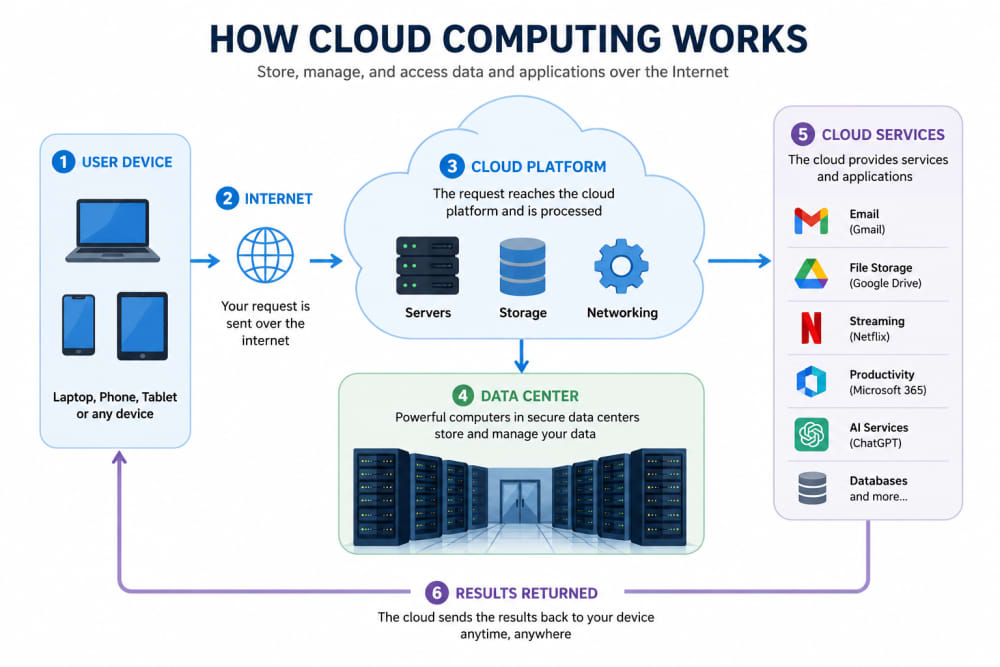
HOW CLOUD COMPUTING WORKS
The Three Main Types of Cloud Computing
1. Infrastructure as a Service (IaaS)
The provider supplies:
-
Virtual servers
-
Storage
-
Networking
The customer manages the operating system and applications.
Examples include:
-
Amazon EC2
-
Google Compute Engine
-
Microsoft Azure Virtual Machines
This option is popular among IT professionals and developers.
2. Platform as a Service (PaaS)
The provider manages the infrastructure while developers focus on building applications.
Examples include:
-
Render(Web hosting)
-
Heroku
-
Google App Engine
If you have ever deployed a Flask application on Render, you have already used Platform as a Service.
3. Software as a Service (SaaS)
This is the most common type.
Users simply access software through a web browser.
Examples include:
-
Gmail
-
Google Docs
-
Microsoft 365
-
Zoom
-
Canva
No installation is required.
Everything runs online.
🌍 Examples of Cloud Computing You Already Use
Most people use cloud services daily.
Examples include:
| Service | Cloud Function |
|---|---|
| Gmail | Email storage |
| Google Drive | File storage |
| OneDrive | Document storage |
| Netflix | Video streaming |
| Spotify | Music streaming |
| WhatsApp Backup | Data backup |
| Canva | Online design |
| ChatGPT | AI processing |
If you use any of these services, you are already benefiting from cloud computing.
Benefits of Cloud Computing
Access Anywhere
You can access files from:
-
Home
-
Office
-
School
-
Mobile phone
All you need is internet access because they are accessed online.
Lower Costs
Businesses avoid purchasing expensive hardware.
Instead, they pay only for what they use, and there are no extra charges involved.
Automatic Updates
Cloud providers handle updates and maintenance.
Users receive improvements without managing servers themselves.
Better Backup and Recovery
If your laptop is stolen, cloud-stored files often remain safe.
Simply sign in from another device. A good example is your Google Photos, which are always available even after switching to a new phone.
Easy Scalability
Businesses can increase or decrease resources whenever needed.
For example:
An online store experiencing heavy traffic during Black Friday can quickly add more computing power.
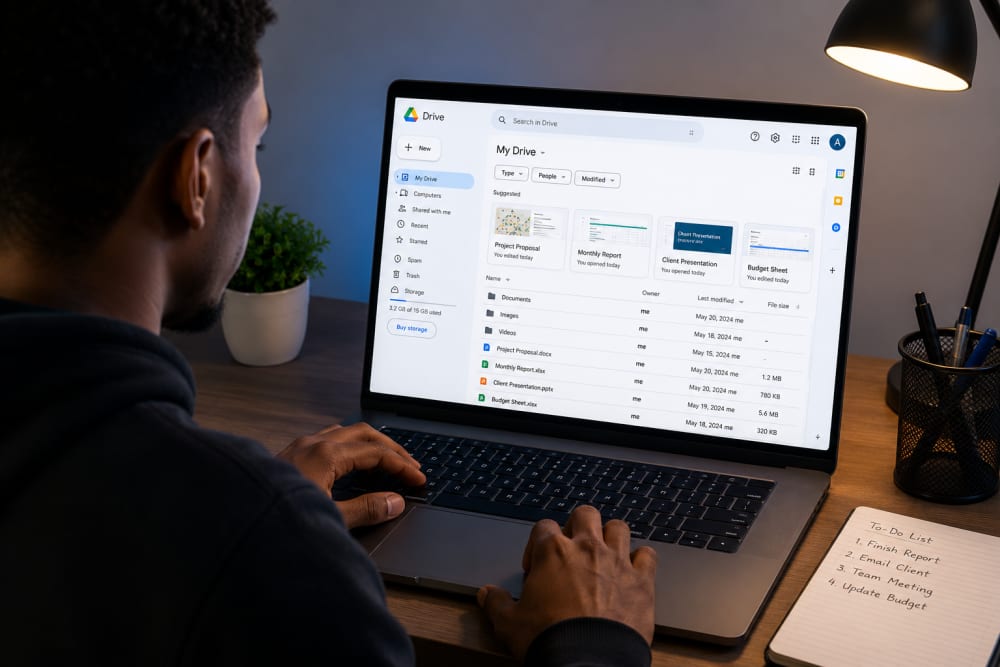
CLOUD GOOGLE DRIVE
Challenges of Cloud Computing
While cloud computing offers many advantages, it is not perfect.
Internet Dependency
Without internet access, many cloud services become unavailable. Cloud computing can be disadvantageous to people living in remote areas, as those areas are always prone to downtime.
Security Concerns
Poor passwords and weak account protection can expose cloud data to attackers.
This is why:
-
Strong passwords
-
Multi-factor authentication
-
Account monitoring
are extremely important.
Ongoing Costs
Cloud services may seem inexpensive initially, but long-term costs can increase depending on usage.
Businesses should monitor spending carefully.
Public, Private, and Hybrid Clouds
Public Cloud
Resources are shared among many customers.
Examples:
-
Amazon Web Services (AWS)
-
Google Cloud
-
Microsoft Azure
Private Cloud
Cloud infrastructure is dedicated to a single organization.
Often used by:
-
Banks
-
Government agencies
-
Large enterprises
Hybrid Cloud
A combination of public and private cloud environments.
Many organizations use this approach to balance flexibility and security and to promote efficiency.
The Future of Cloud Computing
Cloud computing continues to grow rapidly.
Emerging technologies such as:
-
Artificial Intelligence (AI)
-
Machine Learning
-
Big Data Analytics
-
Internet of Things (IoT)
All rely heavily on cloud infrastructure.
As internet connectivity improves worldwide, cloud services will become even more integrated into everyday life.
Final Thoughts
Cloud computing is simply the delivery of computing services over the Internet.
Instead of buying and maintaining expensive hardware, users access storage, software, and computing power from remote servers whenever they need it.
Whether you are sending an email, streaming a movie, backing up your photos, or using an AI tool, chances are you are already using cloud computing.
The cloud has transformed how individuals and businesses store data, run applications, and access technology, making powerful computing resources available to anyone with an internet connection.
For information on how to stay safe and secure in cloud computing, read: How Hackers Steal Passwords and How to Reduce the Risks
About the author
Caleb Muga is the founder of SurgeTechKnow, an ICT professional and software developer with BBIT, CCNA training, cybersecurity awareness and OPSWAT file-security training. Articles are written to simplify practical technology, cybersecurity, networking and ICT support topics for real users.
Read the full SurgeTechKnow profile →