Why Your Old Passwords Are Still a Threat Today


If you used the same password five years ago, it could be the same one that is being used to access your accounts today. Old passwords can be very useful in the wrong hands, even if they have been changed to newer ones.
Let's say you've used the same password for several sites; you could now be in trouble with your old logins.
The Hidden Life of Stolen Passwords
In a data breach, hackers frequently pirate users' credentials and store them in huge lists of data.
These databases don't go away after a few weeks.
Indeed, stolen credentials are often sold, traded, and shared on underground forums and held on to for years. There are collections of some that have more than a billion usernames and passwords collected from incidents over a decade ago.
You may have the same password you used years ago that is still flying around the internet today.
Why Old Passwords Still Matter
There are lots of people who reuse their accounts.
For example:
Facebook123 becomes Facebook1234
Nairobi2022 becomes Nairobi2023
Password@1 becomes Password@2
This appears to the user as a new password.
It is just a foreseeable variant to an attacker.
The common modifications are the targets of special attention by modern password-cracking tools. If one of your old passwords falls into the hands of a criminal, they can get the current password within minutes.
The Credential Stuffing Problem
Credential stuffing is one of the greatest cyber threats of the times.
The idea behind this attack is that people tend to use the same passwords for multiple accounts.
Suppose you had the same password for all of the following:
Gmail
Facebook
Netflix
Online banking
Work accounts
As soon as one site is hacked, the hacker tests the credentials on dozens of other websites.
Automated process.
One leaked password can get you access to several accounts.
I just saw a case recently where a user's previous password was stolen in a different data breach. They had changed it on Facebook, but someone else used the same password on another service that they didn't know about. It took the attacker only a few hours to get in.
Data Breaches Do Not Go Away. Data Breaches Do Not Outgrow
Whenever big data breaches happen, it’s not like their effects fade away once the news moves on.
Millions of genuine credentials were leaked years ago and are still on the internet.
Several common vulnerabilities were revealed:
Email addresses
Password hashes
Security questions
Phone numbers
Cybercriminals cross-reference information from numerous data breaches to create detailed profiles of potential victims.
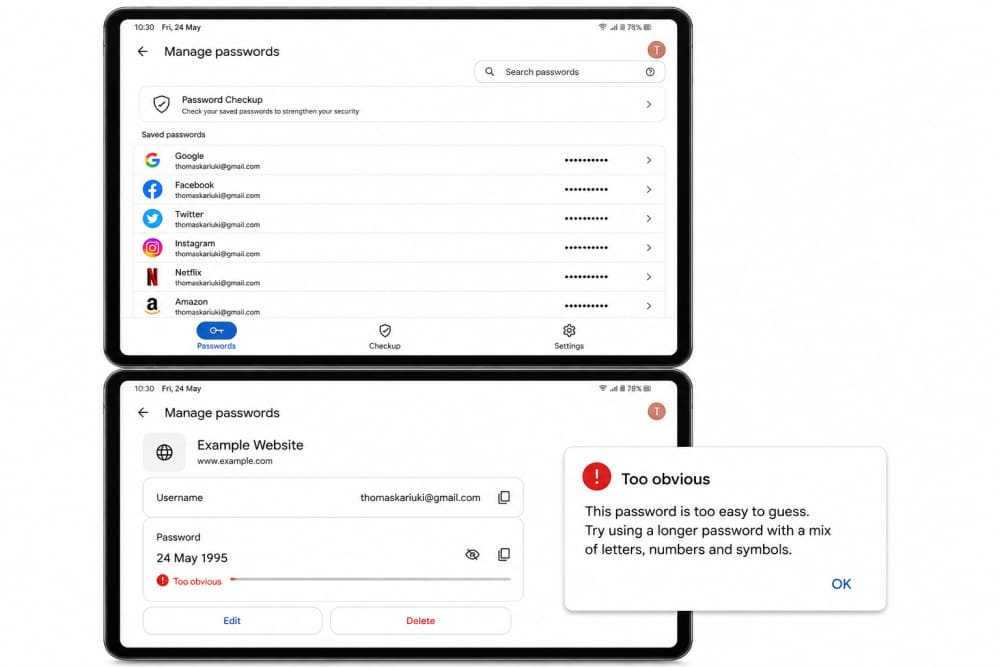
An old password could still give them hints as to your password creation methods, naming conventions, and habits.
Your Password History Reveals Patterns - This report shows the patterns within the passwords you've entered.
Attackers don't only read passwords.
They study behavior.
If you've used passwords in the past that included:
Your name
Birth year
Favorite football club
Pet's name
Phone number
Those details can be used for future password prediction.
If before you used:
Caleb2020!
might later use:
Caleb2026!
The password is changing; the pattern is still the same.
Passphrases are easily remembered by humans. Unfortunately, known and easy-to-guess passwords are easy to break.
But why are password managers becoming essential?
It's hard to make up different passwords for each account.
That's why cybersecurity experts are pushing for the use of password managers more and more.
A password manager can:
Generate strong passwords
Store passwords securely
Prevent password reuse
Get a notification when credentials are found in data breaches.
You don't need to remember multiple passwords when you only need to remember one strong password.
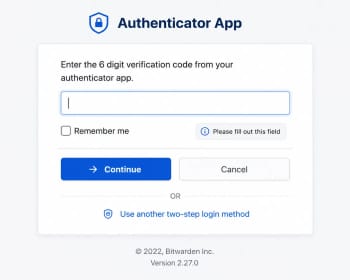
In addition to its primary functions, MFA provides an extra layer of security.
Strong passwords are not foolproof!
Multi-factor authentication (MFA) offers further security.
MFA authentication is performed using something other than just a password when it is enabled, such as:
A mobile authentication application
A fingerprint
A security key
A verification code
This will ensure that if an attacker finds an old password, they still won't be able to get into the account.
MFA should be turned on as soon as you can for critical services like email, banking, cloud storage, and more.
How to Check if Your Credentials Were Exposed
But a lot of folks don't realize that their credentials were found in data breaches.
Warning signs include:
Unexpected emails informing you of password resets.
Attempts to log in from unknown devices.Log on from unknown devices.
Accounts becoming locked
Unusual account activity
You can also check to see if your email address has been found in any known data breaches with trusted breach notification services.
If it does, update compromised passwords as soon as possible.
Be sure to take steps to protect yourself today.
If you haven't changed your passwords in a while, begin here:
1. Stop Reusing Passwords
Each major account should have an individual password.
2. Change Weak Passwords
Change passwords that include:
Names
Birthdays
Phone numbers
Common words
3. Enable Multi-Factor Authentication
Secure email, banking, and social media accounts.
Make sure to use a Password Manager.
Let the software create, and remember, strong credentials.
5. Review Old Accounts
There are still forgotten accounts with personal information and old passwords.
Remove accounts that have not been used.
What To Note
Old passwords aren't as benign as many people think.
If a password is compromised, it can be accessible for years to cybercriminals. If you use the same password for multiple websites, use an easy-to-remember pattern, or only slight changes, a password used many years ago could still be used to break your accounts.
Strong passwords are not the only way to ensure cybersecurity. It's about generating secure and unique passwords, keeping them secure, and believing that any password ever used might be discovered in the future.
The best rule to follow is a simple one: Assume that any old password is a potential security threat, and treat it as such.
About the author
Caleb Muga is the founder of SurgeTechKnow, an ICT professional and software developer with BBIT, CCNA training, cybersecurity awareness and OPSWAT file-security training. Articles are written to simplify practical technology, cybersecurity, networking and ICT support topics for real users.
Read the full SurgeTechKnow profile →