Cybersecurity for Beginners: A Complete Guide to Staying Safe Online in modern internet

Every day, millions of people use the internet without realizing how many cyber threats surround them.
For online safety in 2026, it's important to develop proactive online habits. Steps that are essential and can be taken include implementing multi-factor authentication (MFA) for all accounts, using a password manager, ensuring regular device updates, and being mindful of public Wi-Fi and using a VPN.
Activities such as email, shopping online, using mobile banking, connecting to public Wi-Fi, downloading apps, or scrolling through social media may seem harmless. Behind the scenes, however, cybercriminals are constantly searching for opportunities to steal information, compromise accounts, and exploit vulnerable devices.
Fortunately, there's no need to be a cybersecurity specialist to be protected.
By following some simple guidelines, you can significantly lower the danger and safeguard your personal details, financial well-being, and protection of your digital identity.
This guide offers an introduction to cybersecurity and offers practical steps that everyone can take.
What Is Cybersecurity?
Cybersecurity is the protection of applications, computers, networks, smartphones, and data from unauthorized access, attacks, and damage.
Just as you lock your house, you should think of Cybersecurity as the digital equivalent of that.
You need to properly secure your doors so that you can keep people from entering.
So is cybersecurity to your Digital life.
If not protected, cybercriminals can access:
-
Personal photos
-
Banking information
-
Emails
-
Business documents
-
Social media accounts
-
Sensitive company data
As technology becomes more connected, cybersecurity becomes increasingly important.
Why Cybersecurity Matters More Than Ever
Cyber attacks used to be primarily directed at big enterprises or trusted institutions, but this was a few years ago.
Everyone's a target, and no one is left out here today.
Whether you are:
-
- A student
- A teacher
- A business owner
- A government employee
- A freelancer
- A retiree
Your information is of value.

Targeted by cyber threats across the world
Mobile banking, M-PESA, online shopping, and cloud services are still gaining momentum in Kenya and around the world. These are convenient technologies, but they also open opportunities for criminals.
People often underestimate their importance, and as a result, they become victims of successful cyber attacks.
Attackers don't always aim for a specific individual.
Many times, automated tools are used to search thousands of devices for low-hanging fruit.
Understanding the Most Common Cyber Threats
Before you can protect yourself, you need to understand explicitly what you are defending against.
🎣 Phishing Attacks
Phishing is still one of the most successful types of cyber attacks.
The attacker impersonates a trusted organization and fools the victim into disclosing sensitive data.
Examples include:
Fake bank emails
Suspicious-looking Microsoft logins.Phony Microsoft logins.
Inconsistent social media notifications.
Fraudulent M-PESA messages
One of the hallmarks of a phishing message is the need for urgency.
Messages may appear like:
"Your account will be suspended today."
"Verify your account immediately."
"Unusual login detected."
The goal is to make you react without thinking.
How to Stay Safe
-
Verify links before clicking
-
Check email addresses carefully
-
Avoid sharing passwords through email
-
Enable multi-factor authentication
🦠 Malware
Malware is malicious software designed to damage, disrupt, or gain unauthorized access to devices.
Common types include:
-
Viruses
-
Trojans
-
Spyware
-
Worms
-
Keyloggers
Malware often enters systems through:
-
Suspicious downloads
-
Cracked software
-
Fake updates
-
Malicious email attachments
Once installed, malware can steal information or monitor activity without the user's knowledge, directing them toward the attackers.
🔑 Password Attacks
Weak passwords remain one of the biggest cybersecurity problems worldwide.
Many people still use passwords such as:
-
password123
-
kenya2026
-
admin123
-
12345678
Attackers use automated tools capable of rapidly testing millions of passwords.
Even worse, many users reuse the same password across multiple accounts.
If one account becomes compromised, several others may follow.
"One of my clients lost his Facebook account to hackers, in no months, LinkedIn and Instagram suffered the same fate, because all of them were using the same password."
👉 Related article: How Hackers Steal Passwords in Seconds
💰 Ransomware
Ransomware locks files or entire systems and demands payment for their release.
Victims may suddenly lose access to:
-
Documents
-
Photos
-
Databases
-
Business systems
Many organizations around the world have lost millions of dollars because of ransomware attacks.
The best defense is prevention and regular backups.
🎭 Social Engineering
Not all cyber attacks involve technology.
Some target human behavior.
Social engineering manipulates people into revealing information voluntarily.
Examples include:
-
Fake technical support calls
-
Impersonation scams
-
Fake customer service representatives
-
Fraudulent job offers
The attacker exploits trust rather than software vulnerabilities.
Why Password Security Matters
Passwords protect nearly every aspect of modern life.
Unfortunately, many users unknowingly weaken their own security.
A strong password should:
-
Be unique
-
Be long
-
Contain a mix of characters
-
Avoid personal information
Bad example:
Caleb2026
Better example:
liver!onptop#Kales72
The strongest passwords are often generated using password managers.
Enable Multi-Factor Authentication (MFA)
I do inform my clients that even strong passwords can be stolen if you fail to protect them.
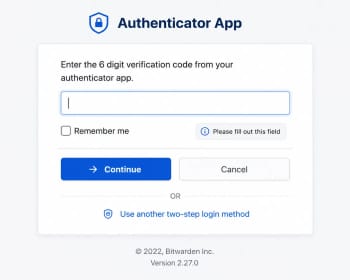
Multi-factor authentication adds another layer of protection.
After entering your password, you must also verify your identity through:
-
Authentication apps
-
Security keys
-
Verification codes
This significantly reduces the risk of unauthorized access.
Wi-Fi Security Basics
Your Wi-Fi network is the gateway to all connected devices.
Poor Wi-Fi security can expose:
-
Phones
-
Laptops
-
Smart TVs
-
Cameras
-
Home automation devices
Common mistakes include:
-
Weak Wi-Fi passwords (users normally use easy-to-guess passwords)
-
Default router credentials
-
Outdated firmware
-
Publicly exposed router settings
👉 Related article: The Most Dangerous Wi-Fi Mistakes People Make Daily
Staying Safe on Public Wi-Fi
Free Wi-Fi is convenient, yes, for many people.
It can also be risky at the same time.
Public networks found in:
-
Airports
-
Hotels
-
Cafes
-
Shopping centers
May expose users to surveillance or malicious hotspots without their awareness.
Safety Tips
-
Avoid online banking on public Wi-Fi
-
Verify network names
-
Use HTTPS websites
-
Enable a trusted VPN if necessary
Mobile Security in the modern world
Smartphones now contain more personal information than many computers.
Protect your phone by:
-
Using screen lock pattern, passcode, or face lock
-
Installing updates
-
Downloading apps from trusted sources
-
Enabling device encryption
-
Reviewing app permissions
Android and iPhone security have improved significantly, but user behavior remains critical.
Cloud Security Explained
Cloud services store information on remote servers rather than local devices.
Popular examples include:
-
Google Drive
-
OneDrive
-
Dropbox
-
Microsoft 365
Cloud platforms are generally secure, but users must still:
-
Use strong passwords
-
Enable MFA
-
Monitor account activity
-
Avoid sharing sensitive files publicly
👉 Related article: What Is Cloud Computing in Simple Terms?
How Businesses Protect Their Networks
Organizations use multiple layers of security.
These include:
Firewalls
Firewalls monitor and control network traffic.
They act as gatekeepers between trusted and untrusted networks.
Antivirus and Endpoint Protection
Security software detects and blocks threats before they can cause damage.
Network Segmentation
Businesses often separate systems using:
-
VLANs
-
Access controls
-
Security zones
This limits the spread of attacks.
Employee Training
Even advanced security tools cannot protect organizations if employees fall for scams.
Awareness remains one of the strongest defenses.
Recognizing Warning Signs of a Cyber Attack
Watch for:
-
Unexpected password reset emails
-
Unusual login notifications
-
Slow device performance
-
Frequent pop-ups
-
Unknown applications
-
Unauthorized transactions
The earlier suspicious activity is detected, the easier it is to contain.
Cybersecurity Best Practices Everyone Should Follow
The fundamentals remain surprisingly simple.
✓ Use Strong Unique Passwords
Never reuse passwords across important accounts.
✓ Enable Multi-Factor Authentication
Protect email accounts first.
✓ Keep Software Updated
Install updates regularly.
✓ Back Up Important Data
Store backups separately from your primary device.
✓ Think Before Clicking
Many attacks succeed because victims act too quickly.
✓ Secure Your Wi-Fi Network
Change default credentials immediately.
✓ Learn Continuously
Cyber threats evolve constantly.
Staying informed is part of staying secure.
The Future of Cybersecurity
AI is impacting the world of cybersecurity and cybercrime. AI is affecting cybersecurity and cybercrime.
AI is now being leveraged by security teams to:
Detect threats faster
Analyze attack patterns
Automate monitoring
Meanwhile, AI enables cybercriminals to develop:
More convincing phishing attacks.More convincing phishing attacks.
Smarter malware
Automated scams
The Cyber Security landscape will continue to develop.
The best defense is a combination of technology, awareness, and sound security practices.
To Conclude;
At times, cybersecurity might feel like too daunting a challenge, but the basics are not as hard to master as some may believe.
The most effective attacks are made on simple errors: passwords that are weak, outdated software, unsafe downloads, and misplaced trust.
There's no need to use fancy equipment or have a lot of technical skill to defend yourself. Most prevalent cyber threats can be avoided by using strong passwords, multi-factor authentication, software updates, safe-browsing practices, and basic awareness.
Cybersecurity has become an essential part of our lives in a world where more and more of our lives are lived online.
It is a life skill that is essential.
And the best time to enhance your security is before you are the victim.
About the author
Caleb Muga is the founder of SurgeTechKnow, an ICT professional and software developer with BBIT, CCNA training, cybersecurity awareness and OPSWAT file-security training. Articles are written to simplify practical technology, cybersecurity, networking and ICT support topics for real users.
Read the full SurgeTechKnow profile →