Why Putting Your Wet Android in Rice is Actually Ruining It (And What to Do Instead)
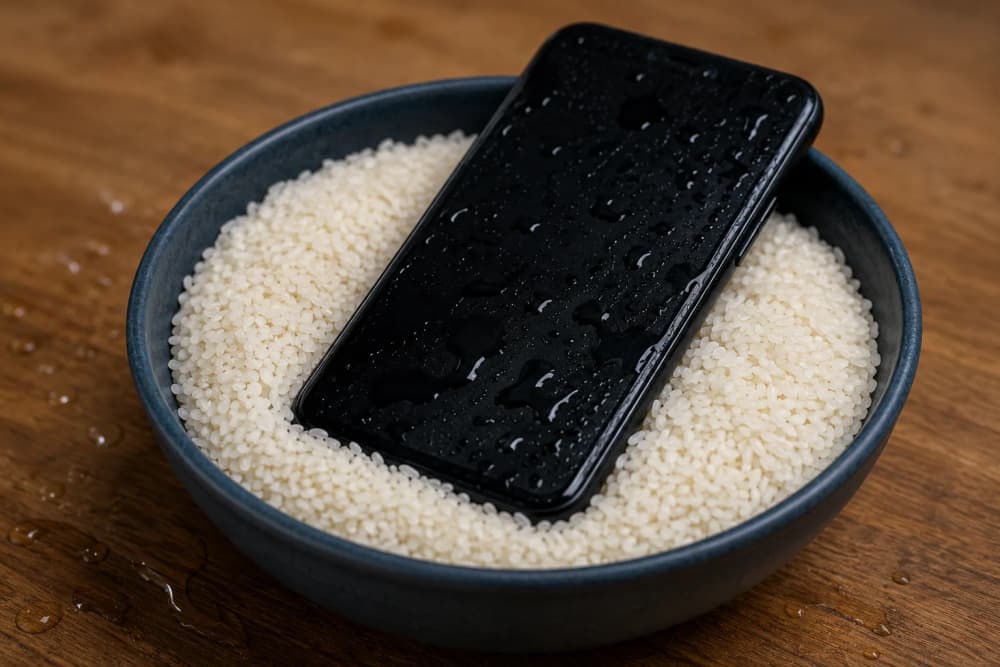
You pull your Android phone out of your pocket, only to realize it somehow took a swim.
Maybe it slipped into a sink while washing dishes. Maybe it fell into a puddle during a rainy commute. Or perhaps it followed countless smartphones before it straight into a toilet, bucket, or swimming pool.
Panic kicks in immediately.
Within seconds, someone nearby confidently says the same thing millions of people have heard for years:
"Put it in rice."
For a long time, I believed this advice too. In fact, years ago, after a friend accidentally soaked an Android phone during a heavy rainstorm, we buried it inside a bowl of rice overnight. We genuinely thought we were saving the device.
What we didn't know was that rice wasn't helping much at all. Worse, it could have caused additional damage.
Today, even smartphone manufacturers and repair experts warn against the rice method. The famous trick that many people still recommend may actually be increasing the chances of long-term damage.
Quick Navigation
How the Rice Myth Started
The rice trick became popular long before modern waterproof smartphones existed.
Back then, phones had removable batteries and fewer internal seals. People noticed that some devices seemed to work after spending a day inside a container of rice.
Naturally, they assumed the rice had saved the phone.
In reality, many of those devices would probably have survived simply because they were left powered off long enough for some moisture to evaporate.
The rice often got the credit, while time did most of the work.
Why Rice Can Actually Damage Your Phone
This is where things get interesting.
Rice is not completely harmless.
When you bury a smartphone in uncooked rice, tiny rice particles and starch dust can enter charging ports, speaker grills, microphones, SIM slots, and ventilation openings.
Those microscopic particles may remain trapped inside the device long after the water has dried.
Over time, the dust can:
- Block charging connectors
- Interfere with microphones
- Reduce speaker performance
- Trap moisture in certain areas
- Contribute to corrosion when combined with remaining moisture
Many repair technicians report finding rice particles lodged inside damaged devices that arrive for water-damage repairs.
Ironically, the attempted rescue can sometimes create an additional cleaning problem.
You May Also Like To Read About
What Really Happens Inside a Wet Android Phone?
Water itself is not always the biggest problem.
The real enemy is corrosion.
When moisture reaches electronic circuits, chemical reactions can begin almost immediately.
Minerals, salts, and impurities found in water can create conductive paths between components that were never designed to connect.
This can lead to:
- Short circuits
- Battery problems
- Screen failure
- Charging issues
- Motherboard damage
The scary part is that a phone may appear perfectly normal for several days before corrosion starts causing failures.
That is why some devices seem to recover initially and then stop working weeks later.
What Experts Recommend Instead
Modern repair specialists generally recommend avoiding rice altogether.
Instead, the focus should be on removing moisture safely and preventing electrical damage.
The priority is always stopping power from flowing through wet circuits.
That means acting quickly and carefully.
Why Silica Gel Is a Better Alternative
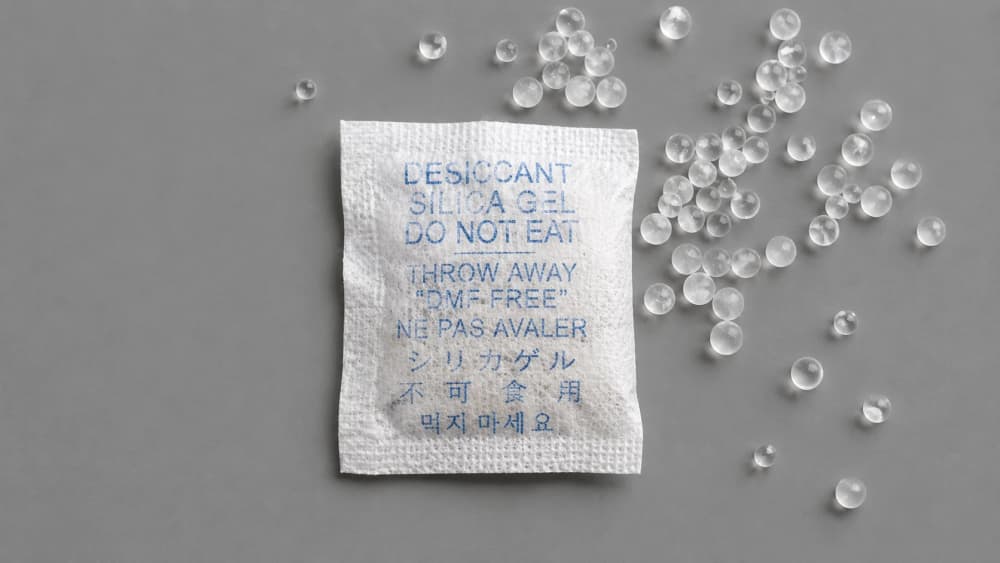
Have you ever noticed those small packets labeled "Do Not Eat" inside shoe boxes, electronics packaging, or camera equipment?
Those packets usually contain silica gel.
Unlike rice, silica gel is specifically designed to absorb moisture from the surrounding environment.
It is far more effective than uncooked rice at reducing humidity around a wet device.
Advantages of silica gel include:
- Much better moisture absorption
- No rice dust contamination
- Designed specifically for humidity control
- Widely used to protect electronics
If you happen to have silica gel packets available, they are generally a safer option than a bowl of rice.
What You Should Do Immediately After Your Android Gets Wet
Follow these steps as quickly as possible:
- Remove the phone from water immediately.
- Turn it off if it is still on.
- Remove accessories and the SIM tray if possible.
- Gently dry the exterior using a lint-free cloth.
- Place the device in a dry, ventilated location.
- Use silica gel packets if available.
- Wait before charging or powering it on.
- Seek professional inspection if significant water has entered the phone.
Patience can save hundreds of dollars in repair costs.
Common Mistakes That Destroy Water-Damaged Phones
Many phones survive water exposure but die because of what happens afterward.
Avoid these common mistakes:
- Charging the phone immediately
- Turning it on repeatedly to check if it works
- Using a hair dryer with excessive heat
- Shaking the device aggressively
- Burying it in rice
- Ignoring corrosion signs for days or weeks
The temptation to test the device quickly is understandable, but it often causes the most damage.
The Final Verdict: Stop Using Rice
The rice trick survives because it sounds logical and has been repeated for years.
Unfortunately, popularity does not always equal accuracy.
Modern evidence and repair experience suggest that rice is a poor drying solution for smartphones. It absorbs moisture inefficiently, leaves behind dust, and may introduce new problems while failing to address corrosion inside the device.
If your Android phone gets wet, skip the rice bowl.
Power it off, dry it carefully, use proper desiccants such as silica gel when available, and give it time before reconnecting power.
That simple decision could be the difference between a fully functioning smartphone and an expensive repair bill.
About the author
Caleb Muga is the founder of SurgeTechKnow, an ICT professional and software developer with BBIT, CCNA training, cybersecurity awareness and OPSWAT file-security training. Articles are written to simplify practical technology, cybersecurity, networking and ICT support topics for real users.
Read the full SurgeTechKnow profile →

